




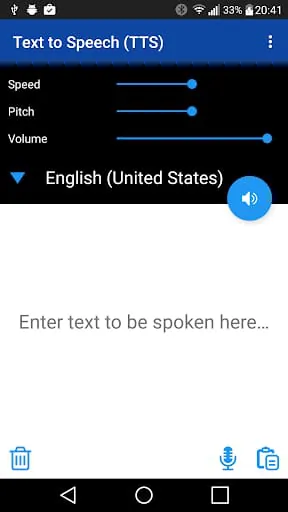
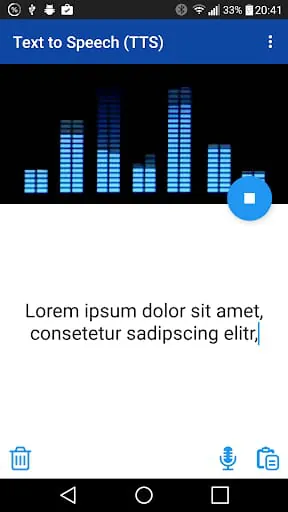
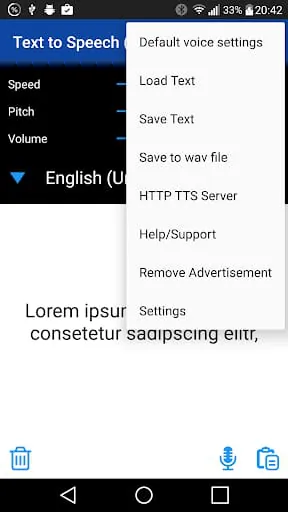
The TTS app is a useful tool that allows users to convert text into speech. With this app, users can easily synthesize text with different settings and languages. The app offers a variety of features, including the ability to save text for later use, output as a wav file, and direct support. One of the key features of the TTS app is its ability to synthesize text with different settings and languages. This means that users can customize the way the text is spoken, including the speed, pitch, and volume. Additionally, the app supports multiple languages, making it a useful tool for users who need to convert text into speech in different languages. Another useful feature of the TTS app is the ability to save text for later use. This means that users can easily access frequently used text without having to re-enter it each time. Additionally, the app allows users to output the synthesized text as a wav file, which can be useful for a variety of purposes. Finally, the TTS app offers direct support, which means that users can easily get help if they encounter any issues or have questions about the app. If users have any questions or concerns, they can contact the app's support team directly via email. Overall, the TTS app is a useful tool for anyone who needs to convert text into speech. With its customizable settings, support for multiple languages, and useful features like text saving and direct support, the app is a great choice for anyone looking for a reliable TTS solution.
3.80









 Home
 Apps
 Games
 Topics
 Google Play
 App Store










