



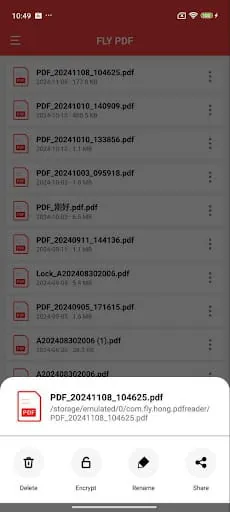
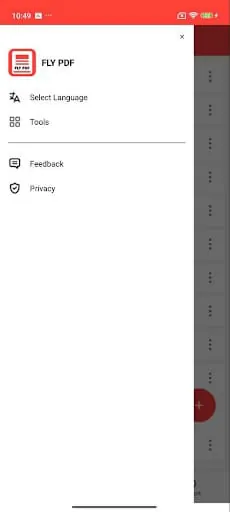
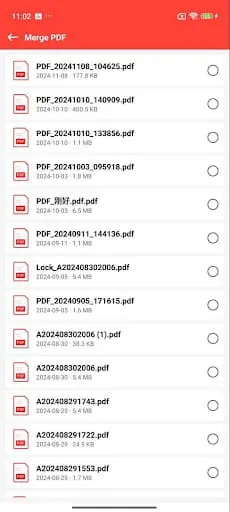
FLY PDF presents itself as a robust and multifaceted solution for an array of PDF manipulation tasks, aiming to streamline document processing for both individual users and corporate environments. The tool's core functionalities are designed to address common pain points encountered when managing digital documents. A significant feature is its 'Image to PDF' conversion, which allows for the swift transformation of multiple image files into a single, high-quality PDF document. This capability is particularly beneficial for consolidating visual materials, such as photographs, scans, or graphical assets, into a universally compatible format that simplifies organization, sharing, and archiving. The ability to handle multiple images in a single batch conversion process underscores its efficiency, making it a valuable asset for anyone needing to present visual information in a structured PDF layout. Further enhancing its utility, FLY PDF offers seamless conversion from plain text files ('TXT to PDF'). This function is crucial for users who need to preserve the formatting and ensure the consistent display of text-based content across different platforms and devices. By converting TXT files to PDF, users can maintain the integrity of their written materials, which is essential for reports, articles, or any form of textual documentation intended for distribution. Beyond conversion, the tool provides essential document management features like 'Split PDF' and 'Merge PDF'. The 'Split PDF' function empowers users to break down large, unwieldy PDF documents into smaller, more manageable segments, improving navigation, targeted sharing, and file size management. Conversely, 'Merge PDF' allows for the effortless combination of multiple PDF files into a single document, which is incredibly useful for consolidating project-related materials, creating comprehensive reports, or streamlining workflows that involve multiple source documents. These features collectively contribute to enhanced productivity and organization, allowing users to tailor their documents to specific needs and improve overall work efficiency. In addition to its organizational and conversion capabilities, FLY PDF addresses the critical aspect of document security with its 'Encrypt PDF' and 'Decrypt PDF' functions. The 'Encrypt PDF' feature allows users to safeguard sensitive information by setting password protection on their PDF files, ensuring that only authorized individuals with the correct password can access the content. This is paramount for protecting confidential data in both personal and professional contexts, mitigating the risk of unauthorized access or data breaches. Complementing this, the 'Decrypt PDF' function provides a straightforward method for users to regain access to encrypted files by simply entering the correct password, thereby restoring the document's readability without compromising its integrity. The integration of these security features, alongside the conversion and management tools, solidifies FLY PDF's position as a comprehensive and indispensable utility for anyone seeking to optimize their PDF processing workflows, enhance document security, and boost overall operational efficiency.
3.10









'%20stroke='%23666666'%20stroke-width='2'%3e%3cg%20id='home'%20transform='translate(16.000000,%2062.000000)'%3e%3cpolygon%20id='路径'%20fill='%23666666'%20fill-rule='nonzero'%20points='21%2021%2021%2010.2%2012%203%203%2010.2%203%2021%208.4%2021%208.4%2012.9%2015.6%2012.9%2015.6%2021'%3e%3c/polygon%3e%3cline%20x1='12'%20y1='21'%20x2='12'%20y2='16'%20id='路径'%20stroke-linecap='round'%3e%3c/line%3e%3c/g%3e%3c/g%3e%3c/g%3e%3c/svg%3e) Home
Home '%20fill='%23666666'%20fill-rule='nonzero'%20stroke='%23666666'%20stroke-width='2'%3e%3cg%20id='app'%20transform='translate(16.000000,%20110.000000)'%3e%3cg%20id='编组'%20transform='translate(4.000000,%204.000000)'%3e%3ccircle%20id='椭圆形'%20cx='13.75'%20cy='3.25'%20r='3.25'%3e%3c/circle%3e%3ccircle%20id='椭圆形'%20cx='13.75'%20cy='13.75'%20r='3.25'%3e%3c/circle%3e%3ccircle%20id='椭圆形'%20cx='3.25'%20cy='3.25'%20r='3.25'%3e%3c/circle%3e%3ccircle%20id='椭圆形'%20cx='3.25'%20cy='13.75'%20r='3.25'%3e%3c/circle%3e%3c/g%3e%3c/g%3e%3c/g%3e%3c/g%3e%3c/svg%3e) Apps
Apps '%20fill-rule='nonzero'%3e%3cg%20id='game'%20transform='translate(16.000000,%20157.000000)'%3e%3cg%20id='编组'%20transform='translate(2.000000,%203.000000)'%3e%3cpath%20d='M14,0%20C14.4142136,0%2014.75,0.335786438%2014.75,0.75%20L14.75,3.607145%20C14.75,4.02135856%2014.4142136,4.357145%2014,4.357145%20L10.75,4.357%20L10.75,5.75%20L14,5.75%20C17.2383886,5.75%2019.8775714,8.31558301%2019.9958615,11.5250623%20L20,11.75%20C20,15.0637%2017.3137,17.75%2014,17.75%20L6,17.75%20C2.68629,17.75%200,15.0637%200,11.75%20C0,8.4363%202.68629,5.75%206,5.75%20L9.25,5.75%20L9.25,3.607145%20C9.25,3.19293144%209.58578644,2.857145%2010,2.857145%20L13.25,2.857%20L13.25,0.75%20C13.25,0.370304234%2013.5321539,0.0565090391%2013.8982294,0.006846616%20L14,0%20Z'%20id='形状结合'%20fill='%23666666'%3e%3c/path%3e%3cpath%20d='M7,8.75%20C7.55228475,8.75%208,9.11631248%208,9.56818182%20L8,10.75%20L9.18181818,10.75%20C9.63368752,10.75%2010,11.1977153%2010,11.75%20C10,12.3022847%209.63368752,12.75%209.18181818,12.75%20L8,12.75%20L8,13.9318182%20C8,14.3836875%207.55228475,14.75%207,14.75%20C6.44771525,14.75%206,14.3836875%206,13.9318182%20L6,12.75%20L4.81818182,12.75%20C4.36631248,12.75%204,12.3022847%204,11.75%20C4,11.1977153%204.36631248,10.75%204.81818182,10.75%20L6,10.75%20L6,9.56818182%20C6,9.11631248%206.44771525,8.75%207,8.75%20Z'%20id='形状结合'%20fill='%23FFFFFF'%3e%3c/path%3e%3cpath%20d='M15,13.75%20C16.10455,13.75%2017,12.85455%2017,11.75%20C17,10.64545%2016.10455,9.75%2015,9.75%20C13.89545,9.75%2013,10.64545%2013,11.75%20C13,12.85455%2013.89545,13.75%2015,13.75%20Z'%20id='路径'%20fill='%23FFFFFF'%3e%3c/path%3e%3c/g%3e%3c/g%3e%3c/g%3e%3c/g%3e%3c/svg%3e) Games
Games  Topics
  Google Play
  App Store